happy99win App — Download APK & Install on Android
The happy99win App brings over 3,100 games straight to your phone. Free to download, no browser needed. Slots, live casino, Aviator and sports betting in one tap.
Version 2.6.2 · 28 MB · Android 8.0+ · Free
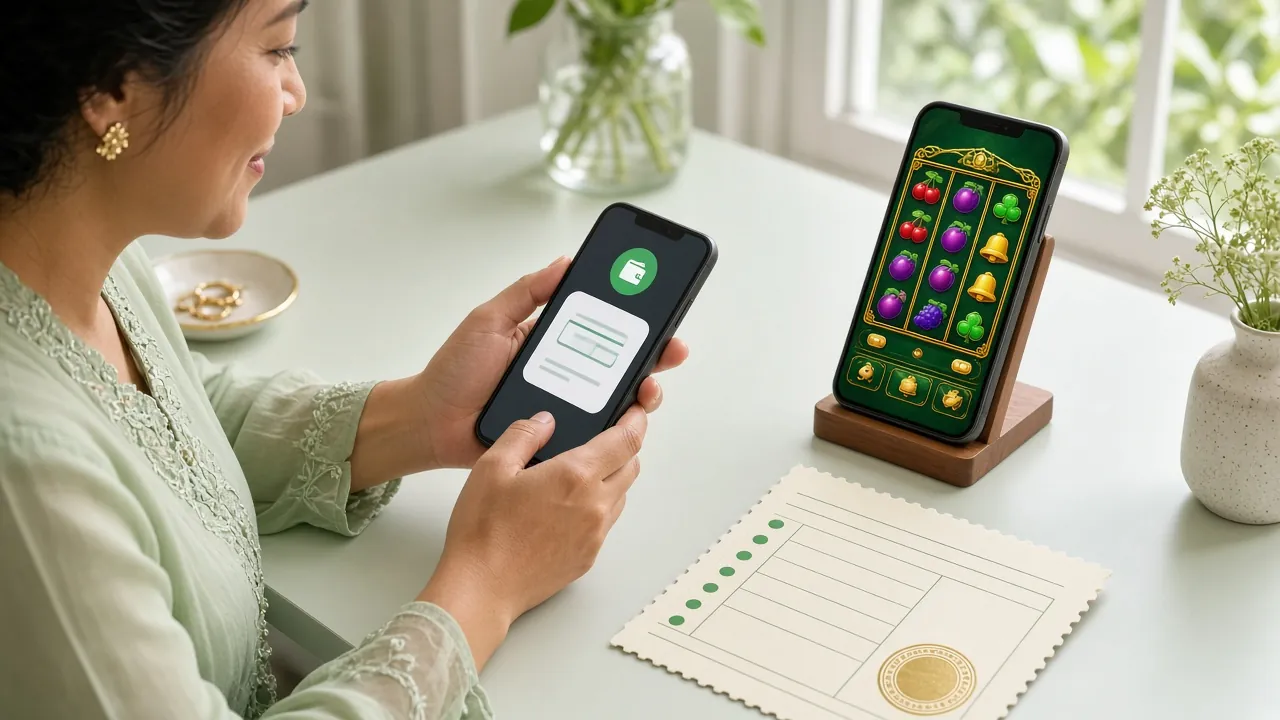
Open the app, log in and start playing — no need to type a URL every time. Your favourites are pinned right on the home screen.
Get instant alerts when your deposit clears, a reload bonus is live, or a cashback payout lands in your wallet. Never miss a promotion again.
Use your fingerprint or face unlock to sign in on Android 8.0 and above. Your account stays secure without typing your password each time.
The native app loads game assets more efficiently than a browser tab. Ideal if you're on a limited mobile data plan or playing on the go.
Scan to download
Your Download, Ready to Go
The happy99win APK is hosted directly on this site — same server, no third-party mirror. Tap the button below and the file downloads immediately. The install takes under two minutes on most Android phones.
happy99win.apk
Download APK — 28 MBInstalling the APK on Android: 5 Steps
Android blocks apps from outside Google Play by default. Follow these steps in order — the whole process takes about two minutes from first tap to game lobby.
-
Allow installs from unknown sources
On your Android phone go to Settings → Apps → Special App Access → Install Unknown Apps. Find your browser (Chrome, Mi Browser, etc.) and toggle Allow from this source to ON. This permission is only needed during install; you can turn it back off afterwards for security.
-
Download the APK file
Tap the Download APK Free button above from your phone's browser. The file
happy99win.apk(28 MB) will save to your Downloads folder. Wait for the progress bar to complete before moving to the next step — a partial download will fail to install. -
Open the APK and confirm install
Pull down your notification shade and tap the completed download, or open your Files app → Downloads → happy99win.apk. Android will show a permissions summary screen. Review it and tap Install. The installation completes in under 20 seconds on most devices.
-
Launch the app and log in
Tap Open on the install confirmation screen, or find the happy99win icon in your app drawer. On the login screen enter your registered username and password. New player? Tap Register inside the app or visit happy99win Register to set up your account first — takes under three minutes.
-
Update settings for best performance
After logging in, go to Profile → Settings inside the app. Enable push notifications so you receive bonus alerts and deposit confirmations instantly. If you are on a weak Wi-Fi connection, toggle Low-Data Mode under Settings to reduce video stream quality and prevent disconnections during live casino games.
On iPhone or iPad? Add to Your Home Screen
Apple restricts sideloading on iOS, so there is no APK for iPhone. The best option is to add the happy99win website as a Progressive Web App shortcut on your home screen — it behaves like an installed app and loads instantly.
-
Open Safari on your iPhone or iPad
Navigate to happy99win.my in Safari (not Chrome or Firefox — only Safari supports the Add to Home Screen option on iOS). Make sure the page has fully loaded before continuing.
-
Tap the Share button
At the bottom of the Safari screen tap the Share icon (a box with an arrow pointing upward). A share sheet will appear from the bottom of your screen with a list of actions you can take with the current page.
-
Choose "Add to Home Screen"
Scroll down the share sheet until you see Add to Home Screen and tap it. You can rename the shortcut to "happy99win" if you prefer. Then tap Add in the top-right corner to confirm.
-
Launch from your home screen
The happy99win icon will appear on your iPhone home screen. Tapping it opens the site in full-screen mode without the Safari toolbar, giving you a near-native app experience. Log in with your existing account credentials to start playing.
There is no iOS App Store listing for happy99win at this time. The Add to Home Screen method above gives you one-tap access with no App Store needed.
Download the native APK above for a full offline-capable install with push notifications and biometric login support.
Security & App Permissions Explained
Before you tap Install, here is exactly what the happy99win APK requests — and why each permission is needed. Nothing is collected beyond what is required for gameplay and account security.
SSL-Encrypted Connection
All communication between the app and the happy99win server uses 256-bit TLS encryption. Your login credentials, account balance and transaction data travel through an encrypted channel that cannot be intercepted on public Wi-Fi. The padlock icon at the top of a browser session confirms the same standard applies to the web version.
Biometric & Storage Permissions
The app requests Biometric Hardware permission to support fingerprint and face-ID login on Android 8.0+. It also requests Storage access solely to save the APK update file during over-the-air updates. It does not read photos, contacts, messages or any other personal files stored on your device.
Download Only from This Site
Only download happy99win.apk from happy99win.my/download/happy99win.apk. Third-party APK mirror sites may bundle additional software or modified files. If you downloaded from an unofficial source, uninstall and re-download from the official link above. Version 2.6.2 is the current release as of 11 November 2026.
Push Notification Permission
Notification permission is optional and requested on first launch. If you grant it, you will receive alerts for deposit confirmations (within 4 minutes), bonus activations and account security events. You can change this at any time under Android Settings → Apps → happy99win → Notifications. Declining notifications does not affect gameplay or account access.
App vs Browser: What's the Actual Difference?
Both options let you play, deposit and withdraw. Here is where they differ in practice — useful if you are deciding whether the APK install is worth the extra minute.
| Feature | Native App (APK) | Mobile Browser |
|---|---|---|
| Game loading speed | Assets cached locally after first load — faster repeat visits | Re-downloads assets each session depending on browser cache |
| Biometric login | Supported (fingerprint / face unlock) | Not supported — password required every time |
| Push notifications | Instant alerts for deposits, bonuses and security events | No background notifications |
| Works without install | Requires APK download and install (28 MB) | Open any browser and go — no install needed |
| iOS compatibility | Android only (no App Store listing) | Full access on Safari, Chrome (iOS & Android) |
| Deposit via Touch 'n Go | In-app redirect to TNG app — seamless handoff | Opens TNG app or web payment page |
| Game count | Full 3,100+ game library available | Full 3,100+ game library available |
| App update method | Prompted inside app when new version is released | Always loads latest version automatically |
| Data usage | Lower after initial install; Low-Data Mode available | Slightly higher — no Low-Data Mode |
System Requirements & Version Info
Check these details before you download. Most Android phones released from 2018 onwards meet the minimum requirements without any configuration changes.
| Detail | Specification |
|---|---|
| App version | 2.6.2 |
| File size | 28 MB |
| Minimum Android | Android 8.0 (Oreo) |
| Last updated | 11 November 2026 |
| Price | Free |
| Available on | Android (APK direct download) |
| Language | English, Bahasa Melayu |
| Min. RAM recommended | 2 GB |
| Internet | 4G / Wi-Fi recommended for live casino |
- Games in App
- 3,100+
- APK Size
- 28 MB
- Deposit in
- 4 min
What You Can Play Inside the happy99win App
Every game category available on the website is fully accessible in the app. The lobby loads your last-played games at the top so you can pick up where you left off.
Online Slot Games
Over 1,200 slot titles from Habanero, Red Tiger, JILI, CQ9 and Sexy Gaming. Tap any tile to load instantly. Favourites like Egypt Book of Mystery and Mahjong Ways are available with bets from RM 0.10 per spin.
Live Dealer Tables
Baccarat, Roulette, Blackjack and Sic Bo streamed in real time from studio tables via Ezugi and Sexy Gaming. The app's adaptive stream quality adjusts automatically to your connection speed, keeping the feed stable even on 4G.
Crash Games
Aviator-style multiplier games where you set your own cash-out point. The app's dedicated Crash lobby loads in under two seconds. Set auto-cashout targets and monitor multiple rounds without switching screens. See the Aviator guide for strategy tips.
Sports & Football
Malaysian league fixtures, EPL, Champions League and international matches with live in-play betting. The app displays real-time odds updates and sends push alerts when kick-off is approaching for matches you have bookmarked. Bets start from RM 0.10.
Fishing Arcade
Titles like Dragon Fishing (Ezugi, RTP 96.5%) and Fierce Fishing (Red Tiger, RTP 97.1%) play well on touchscreens. Tap to aim and shoot — the touch controls are more precise in the native app than in a mobile browser. Bets from RM 0.10.
Lottery & Bingo
Habanero's Calaca Bingo and similar draw-based games are grouped in the Lottery section. Draws run every few minutes. You can set up auto-buy tickets inside the app so you do not miss a round, even when the phone screen is off.


- 18+ Only
- SSL Encrypted
- 24/7 Support
- Touch 'n Go
- DuitNow & FPX
Install Failed? Five Problems and Their Fixes
These five issues account for the large majority of install support requests. Work through the relevant row before contacting Live Chat.
| Problem | Likely Cause | How to Fix It |
|---|---|---|
| "Install blocked" message | Unknown sources setting is still OFF for the browser you used to download | Settings Fix Go to Settings → Apps → Special App Access → Install Unknown Apps. Find your browser (e.g., Chrome) and enable Allow from this source. Then tap the APK file again to retry. |
| "Parse error" during install | The APK file did not download completely or was corrupted mid-download |
Re-download
Delete the existing happy99win.apk from your Downloads folder. Ensure you have a stable connection, then download again from happy99win.my/download/happy99win.apk. Do not close the browser tab while downloading.
|
| App crashes on launch | Device runs Android 7.x or below — below the minimum supported version (8.0) | Browser Option Check your Android version: Settings → About Phone → Software Information. If it shows Android 7 or older, use the mobile browser version of happy99win instead. All games and payment features remain fully available. |
| Not enough storage space | Device has less than 30 MB of free internal storage available | Free Space Go to Settings → Storage and clear app cache for unused apps, or move photos to a microSD card or Google Photos. You need at least 60 MB free (28 MB for the APK + space for the install process). After freeing space, re-run the APK. |
| Games load blank or freeze | Weak internet signal or VPN interference; game assets cannot load from the CDN | Network Fix Switch to a different network (e.g., from mobile data to Wi-Fi, or vice versa). If you are using a VPN, disable it — happy99win servers detect VPN routing and may block the game feed as a security measure. If the problem persists, contact 24/7 Live Chat with your device model and Android version. |
Questions Players Ask Before Installing
If your question is not listed here, the happy99win 24/7 Live Chat team can help you directly from the app or website.
Is the happy99win APK file safe to install?
Yes, when downloaded directly from happy99win.my/download/happy99win.apk. The file is scanned before each release and served over HTTPS. The APK requests only the permissions described on this page — biometric hardware, storage for updates and optional notifications. It does not access your contacts, SMS, camera or microphone. If you downloaded from a third-party mirror, delete that file and re-download from the official link to be safe.
Why do I need to allow "unknown sources" before installing?
Google Play is Android's default app source, so the operating system blocks APK files from outside Play by default as a precaution. Enabling Allow from this source for your browser lets that one browser install APKs it downloads. This setting applies per-app, not system-wide. Once happy99win is installed you can disable it again under Settings → Apps → Special App Access → Install Unknown Apps for added security going forward.
How do I update the happy99win App when a new version is out?
The app checks for updates automatically each time you open it. When version 2.6.2 is superseded, a banner appears on the home screen prompting you to download the new APK. Tap Update Now and the download runs in the background. The install overwrites the old version without deleting your account data or saved settings. You can also revisit this page directly and download the latest APK at any time.
Can I use the same account on both the app and the browser?
Yes. Your happy99win account is tied to your username and password, not to a specific device or platform. Log in on the app, the mobile browser and the desktop site simultaneously if needed — your balance, bonus wallet and game history are all synchronised in real time. If you are not yet registered, set up your account at happy99win Register first, then log in anywhere.
Does the app work on tablets and older Android devices?
The happy99win App is designed for phones but scales acceptably on Android tablets with screen sizes up to 10 inches. The minimum supported version is Android 8.0 (released 2017). Devices running Android 7.x or below are not supported — use the mobile browser version instead, which works on any Android browser from version 5.x upwards and gives full access to all 3,100+ games and payment features.
What payment methods work inside the app?
All four payment methods available on the website are fully supported in the app: Touch 'n Go eWallet, DuitNow, FPX Online Banking and Bank Transfer. Deposits are confirmed within 4 minutes and withdrawals are processed within 15 minutes. The minimum deposit is RM 50 and the minimum withdrawal is RM 70. Visit the Deposit Guide for a step-by-step walkthrough.
The app installed but I cannot log in — what should I check?
First confirm you are entering the correct username (not your email address) and password. If you have forgotten your password, use the Forgot Password link on the login screen to reset via your registered phone number. If your account shows as suspended or inactive, contact 24/7 Live Chat — this sometimes happens if KYC documents have not been submitted before your first withdrawal. New to happy99win? Register at happy99win Register to create your account.
happy99win collects only the data needed to operate your account and process payments. No personal data is sold to third parties. Read the full Privacy Policy for details.
Need help right now?
The happy99win support team is online around the clock. For install issues, have your Android version and device model ready when you start the chat.
Open Live ChatReady to play? The app is free and takes two minutes to set up.
Download the happy99win APK now, install in minutes and log in to claim your welcome bonus — up to RM 325 on your first deposit.
18+ · Play Responsibly · Android 8.0+ · 28 MB · Free